BOM
Bill of Materials data for older trucks is easy to find! EPC 5 includes BOM for both Heavy Duty Trucks 1991-1998, and Medium Duty Trucks 1991-2003.
TIP: Full video tutorials for this and other Ford-specific features are available to registered users at SBS University.
To access a truck's BOM:
- Enter the VIN.
- Select the first item in the Group list, the BOM - Bill of Materials.
- Then, select a Group.
- All the original parts for the truck are listed. Click the Add to Picklist button
 next to a part to add it to your picklist.
Tip: Many of the parts in a BOM will show a supersession icon  , as they have been replaced by newer parts.
Component Parts
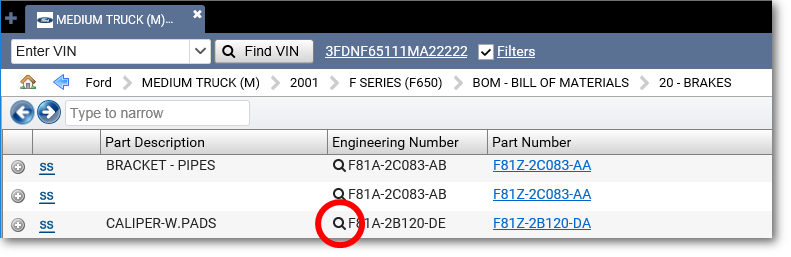
- To navigate to the correct component parts list for an engineering number, click the Search icon
 next to it.
  Show me...
- Select from the available parts lists.
- Click the Parts List icon
 to open the parts list that contains the component parts for that engineering number.